

The 5 best AI background removers: Tested and compared
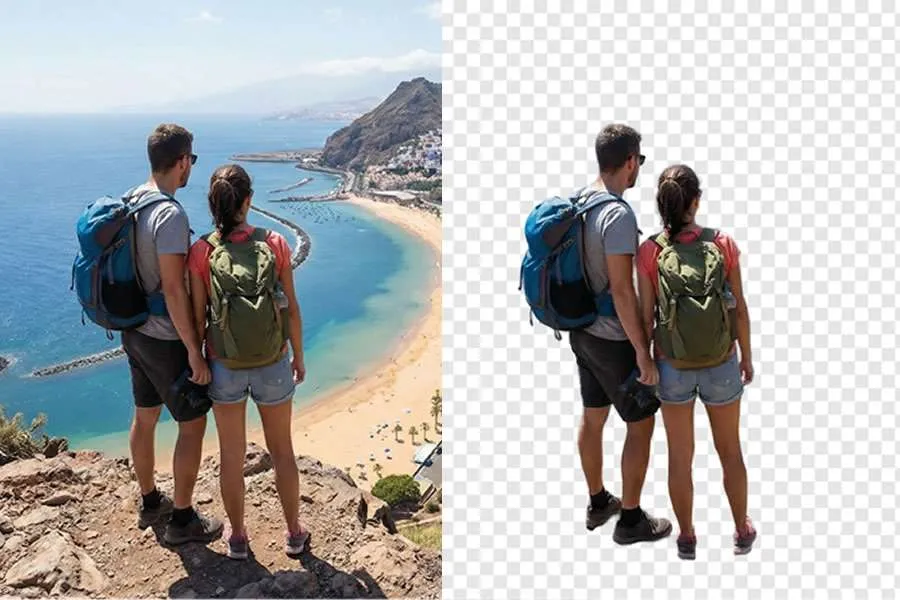
Whether you are capturing the stunning volcanic landscapes of the Canary Islands, snapping a selfie on a Spanish beach, or running a business remotely from a sunny terrace, the perfect image is often ruined by a cluttered background.
Let’s be honest: nobody wants to spend their time indoors manually tracing around subjects in Photoshop. It is a necessary but tedious part of the workflow that keeps you away from enjoying the view.
Thankfully, AI background remover has streamlined this process significantly. What used to take hours of precise clicking now takes just a few seconds. The challenge today isn't doing the work; it's choosing the right tool among millions of search results. Some are excellent, while others are filled with ads or require expensive subscriptions.
I tested the most popular options to see which ones are worth your time, so you can get back to creating (or exploring). Here are the top 5, categorised by their specific strengths.
1. The Best All-Rounder: Artguru
Best For: Quick Edits and fixing low-quality photos.
Most background removers focus solely on deleting pixels. However, in many cases, removing the background is only half the battle, especially if the source photo is blurry or poorly lit.
Artguru's background removal tool is my top recommendation for general use because it strikes a perfect balance between simplicity and quality. It handles the core task of background removal exceptionally well, while offering easy access to a suite of other AI tools, such as an image upscaler, for fixing image quality issues.
Why I like it:
- Precision & Simplicity: The background removal quality is impressive, handling complex edges like hair and transparent objects accurately without needing manual adjustments. The interface is clean and straightforward—there are no confusing options or clutter, you just upload and get your result.
- Frictionless Free Trial: You don't need to create an account to start using your free credits. You can upload and download immediately, and only need to sign up if you decide to subscribe for full features.
- A Complete Toolkit: In addition to the background remover, it offers a video enhancer and an Object Remover. It is very convenient to have these complementary tools available on the same site if you need to upgrade your travel clips or erase unwanted tourists from a shot after editing your photos.
The Cost: You get 5 free credits daily, which is sufficient for most casual users. Free downloads are standard resolution (suitable for web use), while the paid plan unlocks original high-resolution downloads.
Verdict: A practical, high-quality choice for users who need a versatile tool without the hassle of a complicated interface.
2. The Best for Social Media: Canva
Best For: Creating Instagram/YouTube content from start to finish.
Canva has become a standard design tool for good reason.
If you simply need a transparent PNG file, Canva might be more than you need. However, if your goal is to create a YouTube thumbnail or an Instagram Story, it is highly efficient because of the integrated workflow.
Why I like it:
- The Workflow: You don't have to download the image and re-upload it elsewhere. You can remove the background and immediately place the subject into a template.
- Manual Touch-up: AI isn't perfect. Canva’s manual "restore" brush is intuitive and easy to use if you need to bring back a part of the image that was accidentally removed.
The Catch: The Background Remover is a Canva Pro feature. If you aren't already paying for a subscription, it is not cost-effective to upgrade just for this single function.
Verdict: If you already use Canva Pro, stick with it. If not, there are more direct options available.
3. The Best for Bulk Work: Remove.bg
Best For: Developers and Enterprise businesses.
Remove.bg is a veteran in this space. They were one of the first to offer high-quality AI removal, and they remain a reliable choice, particularly for difficult edges like fur or semi-transparent glass.
Why I like it:
- Consistency: The edge detection is consistently high-quality across different types of images.
- Automation: For those running large e-commerce stores, their API is widely considered the industry standard for automating bulk processing.
The Catch: The Price. It is more expensive than many newer competitors. Additionally, the free version is limited to small "preview" images. Downloading high-resolution images requires purchasing credits.
Verdict: Ideal for corporate budgets and automated workflows, but likely too expensive for the average individual creator.
4. The Best for Phone Sellers: PhotoRoom
Best For: Poshmark, eBay, and Depop sellers.
If your business operates primarily from a smartphone, PhotoRoom is a strong contender.
This app is widely used by clothing resellers because it is designed specifically for mobile workflows. It functions less like a simple editor and more like a mobile photo studio.
Why I like it:
- Scan & Go: You can point your camera at an item, and the app will instantly place it on a white background with a realistic, auto-generated shadow.
- Marketplace Ready: It includes presets for eBay, Amazon, and Poshmark image dimensions, saving time on cropping and resizing.
The Catch: The interface is packed with templates and advanced features, which can feel cluttered. For users who just want simple background removal, the experience might feel unnecessarily complex compared to streamlined tools.
Verdict: Essential for mobile-first resellers, though editing on a small screen can be limiting for detailed work.
5. The Best for Designers: Adobe Express
Best For: Users already in the Adobe ecosystem.
Adobe Express is Adobe’s browser-based alternative to tools like Canva, utilising the Photoshop engine.
Because it leverages Adobe’s extensive imaging technology, the masking quality is excellent, handling complex lighting and soft edges effectively.
Why I like it:
- Precision: In testing, it handled fine details like hair strands better than many free alternatives.
- Integration: For users of Creative Cloud, assets sync seamlessly across libraries.
The Catch: Friction. You must sign in with an Adobe ID to use the tool. The interface can also feel slightly heavier and slower to load compared to lighter, single-purpose tools.
Verdict: A solid option for those who want high-quality masking in a browser and already have an Adobe account.
Final Thoughts
Whether you are editing photos for a professional project or simply polishing up memories from your latest trip, the right tool makes all the difference.
- For high-volume bulk processing with a budget, use Remove.bg.
- For social media design within an existing subscription, use Canva.
- For everyone else? If you need a fast, login-free tool that can also enhance image quality, Artguru is the most practical choice for general use.
Stop struggling with manual editing. Choose the tool that fits your workflow so you can spend less time pixel-peeping and more time enjoying the view.
Share: