

Remove Watermarks from Stock Photos Legally
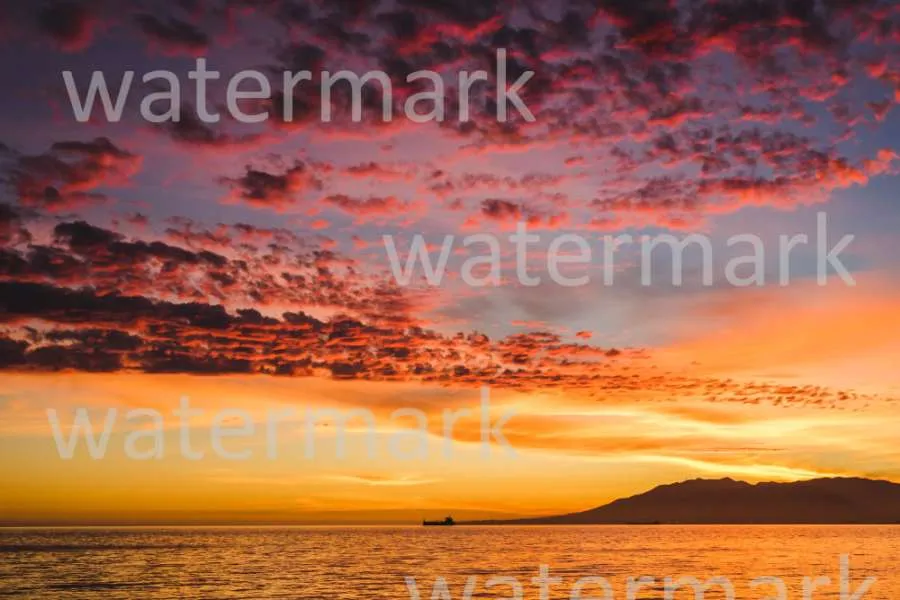
You found the perfect stock photo for a client mock-up, but there's a problem. A big, distracting watermark is plastered right across it. You just need to see how the image looks in your design before buying, but the watermark makes it impossible to visualise. It’s a common frustration for designers, marketers, and creators everywhere.
So, what can you do? While illegally using a watermarked photo is a serious issue, there are legitimate reasons you might need a clean version for internal purposes, like creating a mood board or a private client mock-up.
This article breaks down the right way to handle watermarked images, explains the legal boundaries, and shows you how to prepare visuals for your design process without violating copyright.
WHY DO STOCK PHOTOS HAVE WATERMARKS?
Before we talk about removing them, it helps to understand why they exist. Watermarks are on stock photos for two main reasons: protection and branding.
First and foremost, they are a form of copyright protection. Photographers, illustrators, and stock photo agencies put a lot of work into creating high-quality images. The watermark acts as a digital lock, preventing people from simply right-clicking and using the image for free in commercial projects. It’s a clear signal that the image is a licensed product that needs to be purchased.
Second, it’s a form of advertising. A prominent watermark from a large stock photo agency acts as a brand stamp. When you see it, you instantly know where the image came from, which helps drive business back to their platform.
THE BIG QUESTION: IS IT LEGAL TO REMOVE WATERMARKS?
This is where things get nuanced. The short answer is: it depends entirely on ‘how’ you plan to use the image.
According to copyright law, removing a watermark from a photo you don't own and then using it for any public or commercial purpose is illegal. This includes using it on your website, in social media posts, in advertisements, or on products you sell. Doing so can lead to serious legal consequences and hefty fines.
However, the conversation changes when we talk about internal, non-commercial use cases. These are situations where the image isn't being published or used to make money.
Acceptable Use Cases for Internal Review
Most creative professionals agree on a few scenarios where using a cleaned-up image for visualisation is a grey area, but is generally considered part of the design process. These include:
* Internal Moodboards: Creating a collage of ideas and concepts to establish the look and feel of a project for your team.
* Private Client Mockups: Showing a client a draft of a website or brochure to get their approval on the layout and image choice *before* you purchase the licenses.
* Personal Projects: Testing out an image in a design you're creating for your own learning or portfolio development, with no intention of publishing it.
The key principle here is "private use." The moment the design is shared publicly or used in a final, published piece, you must go back and purchase the proper license for every stock photo you used. The cleaned-up image is simply a placeholder to make the design process smoother.
HOW TO REMOVE WATERMARKS FOR YOUR MOCKUPS (THE RIGHT WAY)
When you need a clean visual for a mock-up, using a specialised tool is the most efficient approach. Modern AI-powered tools can analyse the image and intelligently remove the watermark while filling in the background. For designers who need to quickly prepare comps for review, a dedicated Watermark Remover can save hours of manual editing and produce a much cleaner result than traditional cloning or healing brushes in complex software. These tools are designed for speed and accuracy, letting you focus on the design, not the editing.
After removing the main distraction, you might need to make other adjustments to fit the image into your design. This is where a comprehensive tool comes in handy. For example, you might need to extend the background, remove an unwanted object, or adjust the colours to match your brand palette. Using a powerful AI Photo Editor gives you the flexibility to handle all these tasks in one place. This ensures your mock-up looks polished and professional, giving your client the best possible preview of the final product.
Our Recommended Workflow
1. Identify the Image: Find the watermarked stock photo you want to use in your mockup.
2. Use an AI Tool for Removal: Upload the image to a watermark remover to get a clean version for your private design draft. This is for visualisation purposes only.
3. Create Your Mockup: Place the clean image into your design file, whether it’s a website layout, brochure draft, or presentation slide.
4. Get Client Approval: Share the mockup privately with your client to get their feedback and sign-off on the image choices.
5. Purchase the License: Once the client approves the image, go back to the stock photo website and purchase the appropriate license.
6. Replace the Image: Download the official, high-resolution, non-watermarked version of the photo and replace the placeholder in your final design file.
This workflow respects copyright law while still allowing for a smooth and efficient design process.
BEST PRACTICES FOR USING STOCK PHOTOS IN YOUR WORKFLOW
Navigating the world of stock photography can be tricky, but following a few simple rules will keep you on the right side of the law and ensure your projects run smoothly.
Do’s and Don’ts
* DO use low-resolution comp images whenever possible. Many stock sites provide a smaller, non-watermarked "comp" version for this exact purpose.
* DON’T ever use a watermark-removed image in a final, public-facing project.
* DO keep a detailed record of every stock photo you use in a project. Create a spreadsheet with links to each image so you can easily go back and purchase the licenses.
* DON’T assume a photo is free to use just because you found it on a search engine. Always trace it back to the source to check its licensing terms.
* DO educate your clients about the costs of stock photography. Include licensing fees in your project proposals so there are no surprises later.
Understanding Different License Types
Not all stock photo licenses are the same. The two most common types are Royalty-Free and Rights-Managed.
* Royalty-Free (RF): This is the most common and flexible option. You pay a one-time fee to use the image multiple times across different projects without having to pay additional royalties. There are still restrictions, but it’s generally the most straightforward choice for web design and marketing materials.
* Rights-Managed (RM): This license is more restrictive. You purchase the right to use an image for a specific purpose, for a limited time, and in a particular geographic location. It’s often used for high-profile advertising campaigns where the company wants exclusive use of an image.
Always read the license agreement carefully before you buy. It will tell you exactly how you can and cannot use the photo.
ALTERNATIVES TO REMOVING WATERMARKS
If you’re not comfortable with the grey area of removing watermarks for mockups, there are other great options available.
1. Use Free Stock Photo Sites: There are many incredible websites that offer high-quality, professional photos completely free for commercial use. Sites like Unsplash, Pexels, and Pixabay have vast libraries of images that don't have watermarks and come with very flexible licenses.
2. Use Low-Resolution Comps: As mentioned earlier, many paid stock photo sites (like Adobe Stock or Getty Images) allow you to download a free, low-resolution "comp" version of an image. These are perfect for mockups because they don’t have a distracting watermark, but they aren't high-resolution enough for final use.
3. Create Your Own Assets: If your budget allows, the best way to get a truly unique image is to create it yourself. Hiring a photographer or an illustrator ensures you get exactly what you need and you own the rights completely.
Final Thoughts: Use Images Responsibly
The need to see a clean image in a mockup is a real problem for creative professionals. While technology makes it easy to remove a watermark, that ability comes with responsibility. Remember that the goal is visualisation, not theft.
Using AI tools to prepare an image for an internal moodboard or a private client presentation can be an acceptable part of the creative process, as long as you have a clear workflow for purchasing the real license before the project goes public. Always prioritise ethical practices, respect the work of photographers, and ensure you are legally compliant in all your final, published designs.
Share: